The Ultimate Guide to Cloud Backup for Homes in Sarasota
In Sarasota, Florida, homes fill up fast with digital files. Think about your family photos from Siesta Key beaches, bank statements from local credit unions, and data from smart thermostats that track your AC use during humid summers.
These bits add up to gigabytes or even terabytes. Yet, data loss hits hard here. Hurricanes like Ian in 2022 wiped out power for days and flooded basements with hard drives. Hardware breaks down too, and hackers target personal devices with ransomware.
This guide shows you how cloud data backup for homeowners in Sarasota can protect those files. It breaks down the basics, risks, and steps to set it up right for your coastal home.
Why Onsite Backups Are Insufficient for Sarasota Residents
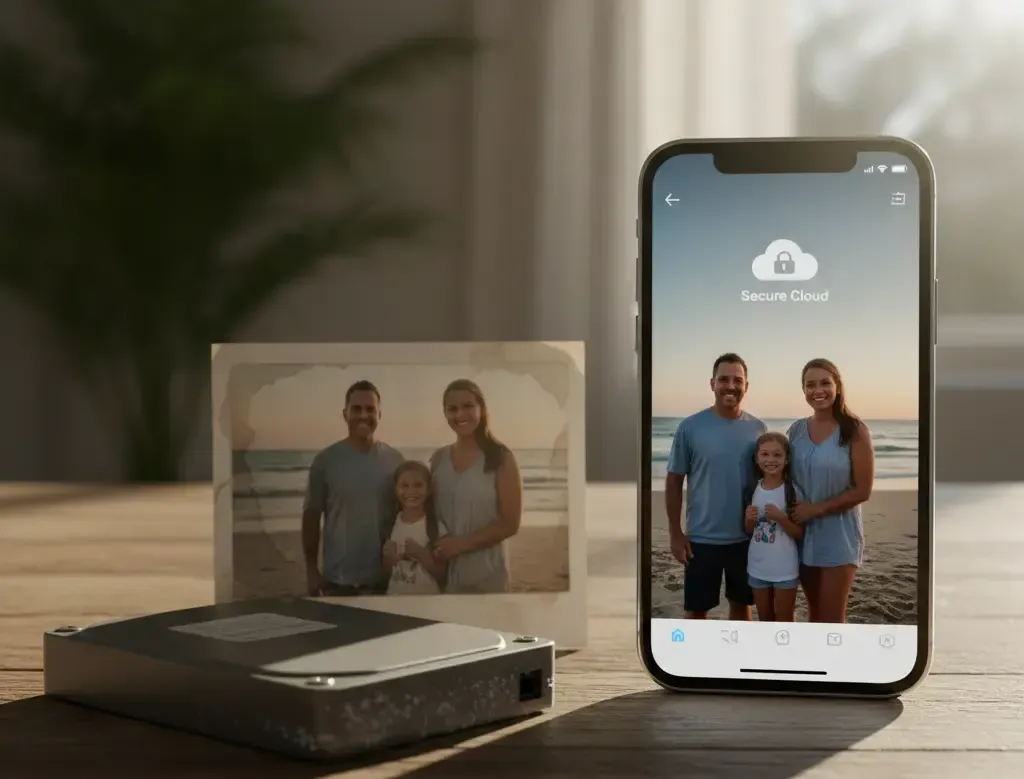
Local backups keep data on drives or external disks in your home. They work fine for quick access. But for Sarasota homeowners, they fall short against real threats.
The Hurricane and Flood Risk Factor
Florida faces storms each year. Sarasota sits on the Gulf Coast, so winds over 100 mph and storm surges reach inland fast. In 2024, Tropical Storm Debby caused outages that lasted a week in some spots. Your external hard drive in a closet might survive a power flicker, but water damage or theft during evacuation ruins it. Offsite cloud storage keeps copies safe in distant data centers. No local disaster touches them.
Hardware Failure and Inherent Device Lifespan Limits
Drives fail after three to five years on average. Heat from Florida's sun speeds that up. A NAS box in your garage overheats during 90-degree days. Accidental deletes happen too—kids hit the wrong key on your laptop. Stats show 30% of people lose data to hardware issues each year. Onsite copies just mirror the problem. Cloud options store extras in the cloud, away from your failing gear.
The Growing Threat of Ransomware and Cyber Intrusion
Hackers encrypt files and demand cash. Local backups get hit first if your PC connects to them. In 2025,
ransomware attacks on homes rose 20% in Florida, per cybersecurity reports. Malware spreads fast on shared networks. You need backups that stay offline from attacks.
Cloud services use immutable copies—files locked against changes. This air-gapped approach means you restore clean data even if intruders strike.
Secure Your Memories Before the Next Storm
Don't wait for a hurricane warning. Get started with a trusted cloud backup service recommended for Florida homeowners today.
Understanding Cloud Data Backup: Core Concepts for Home Users
Cloud data backup sends your files to remote servers over the internet. It runs in the background, so you don't notice it. For Sarasota homeowners, pick services that handle big photo libraries from vacation cams.
Cloud Storage vs. Cloud Backup: Clarifying the Difference
Storage syncs files across devices, like Dropbox shares docs in real time. It overwrites old versions. Backup keeps full histories, like Carbonite saves changes for months. Imagine storage as a shared folder that updates live. Backup acts like a time machine, letting you grab yesterday's photo if you delete it today. This matters for irreplaceable items in your Sarasota digital life.
Types of Cloud Backup Models (Managed vs. Self-Service)
Self-service tools let you control everything, such as Backblaze's app that you install and forget. Managed options, like IDrive for families, include support calls for setup. Consumer picks like OneDrive tie into Windows for easy starts. No tech skills needed—just click through wizards. For Sarasota homes with multiple users, managed plans handle shared albums without hassle. Costs run from $5 a month for basics to $15 for unlimited space.
Security Protocols: Encryption and Data Center Redundancy
Files encrypt before leaving your device. Zero-knowledge means providers can't read your data—only you hold the key. Major centers in the US use guards, cameras, and backup power. Redundancy copies data across states, so a single site fire doesn't matter. In Florida, this beats local risks. Check for AES-256 encryption; it's bank-level safe. Your Sarasota financial records stay private.
Selecting the Right Cloud Backup Strategy for Your Sarasota Household
Pick a plan that fits your needs. Look at data size, cost, and recovery speed. Sarasota's spotty internet during storms calls for patient initial uploads.
Assessing Your Total Data Footprint and Budget
First, check your files. On Windows, right-click your Pictures folder and pick Properties. Add up docs, videos from home security cams, and emails. A typical family has 500 GB to 2 TB. Plans charge per GB or flat fees—Google One starts at $2 for 100 GB, while unlimited like Backblaze costs $7 monthly. Budget $50 to $100 a year for solid coverage. Test free trials to see real costs.
- Photos and videos: Often 70% of your space; prioritize high-res beach shots.
- Documents: Smaller but vital; legal files from Sarasota County clerk.
- Apps data: Back up settings for smart home gadgets.
Critical Data Prioritization: What Must Be Backed Up First
Start with must-haves. Tier 1 includes tax forms, wills, and heirloom photos—no price for peace. Tier 2 covers full PC images for quick reboots and movie collections. Skip temp files to save bandwidth. In Sarasota, flood insurance proofs top the list. Use software to tag priorities. This cuts setup time and focuses on real value.
- Tier 1 essentials: Passports, medical records, family videos from Ring doorbells.
- Tier 2 options: Music libraries, old emails, game saves.
- Skip list: Browser caches, install files—easy to redo.
Backup Speed and Recovery Time Objectives (RTO)
Initial uploads take days for big sets on 50 Mbps internet. Sarasota's Comcast plans hit that speed. Aim for under 24 hours to restore key files post-disaster. Services like Acronis promise fast downloads. Test your connection at speedtest.net. If RTO exceeds a day for docs, pick premium tiers. Quick recovery means back to normal after a storm.
Step-by-Step Implementation: Setting Up Your Secure Cloud Backup
Once you choose, act fast. Follow these steps for a Sarasota-proof system. It takes under an hour to start.
Initial Installation and Device Authorization
Download the app from the provider's site. Create an account with your email—use a strong password. Install on your main PC or phone. The wizard scans drives; pick C: for system files and D: for media. Authorize linked devices like your iPad for photo sync. Restart if asked. Now, your Sarasota vacation pics head to the cloud safely.
- Visit the site (e.g., backblaze.com) and sign up.
- Run the installer; it takes 5 minutes.
- Select folders—include your Downloads for stray files.
Configuring Automated Scheduling and Version History
Set backups to run at night when power's stable. Pick daily for active folders, weekly for archives. Version history should cover 30 days minimum; one year for photos beats overwrites. Enable email alerts for failures. In humid Sarasota, auto-pause during outages saves data caps. Test a small run first.
- Schedule tips: 2 AM starts avoid peak hours.
- Version settings: Keep 100 copies per file.
- Alerts: Get texts if uploads stall.
The Crucial Test: Performing a Full Restoration Drill
Backups mean nothing without restore proof. Pick a test file, like an old recipe PDF. Delete it local, then recover from cloud. It downloads in minutes. For big drills, grab a 1 GB video folder. Note any errors and fix them. Do this quarterly. Sarasota users: Practice after hurricane season ends in November.
- Log into the web dashboard.
- Search for the file and select restore.
- Save to a new spot; compare originals.
Peace of Mind in the Sunshine State
Cloud data backup shields Sarasota homeowners from storms, breakdowns, and cyber hits. You now know onsite limits, cloud basics, pick strategies, and setup steps. Automation runs quiet; security locks tight; tests confirm it works. Start today—estimate your data, choose a service, and back up those beach memories. In Florida's wild weather, this setup guards your digital world for years. Your family's legacy deserves that safety net.
Secure Your Memories Before the Next Storm
Don't wait for a hurricane warning. Get started with a trusted cloud backup service recommended for Florida homeowners today.